


How to Convert Artwork into Beautiful Embroidery Patterns
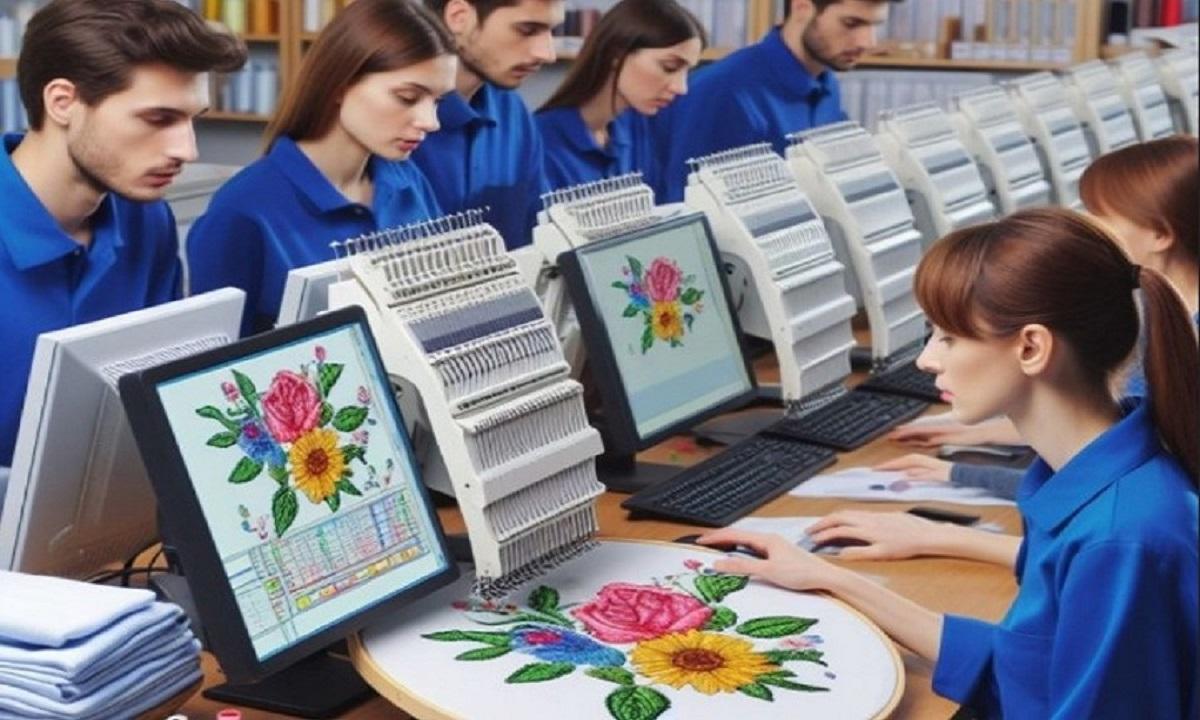
Turning artwork into embroidery is both fun and skillful. It may look hard at first. But once you learn the steps, it gets much easier. I have worked with many designs over time. Some were simple logos. Some were detailed art pieces. Each one taught me something new.In this guide, I will show you how to turn your designs into clean and neat stitch patterns. If you want to Digitize Artwork for Embroidery, this guide will help you understand the full process in a simple way.
What Does It Mean to Convert Artwork?
Before we start, let’s keep it simple.
Converting artwork means turning a picture into a stitch file. This file tells an embroidery machine how to stitch the design. It shows where to stitch, how fast, and what type of stitch to use.
Why This Step Matters
If your design is not ready, the machine will not stitch it well. You may see gaps, messy threads, or broken lines.
Good prep leads to:
-
Clean stitching
-
Strong design shape
-
Less thread break
-
Better final look
Types of Artwork You Can Use
Not all images work the same way. Some are easy. Some need more work.
Simple Images
These are best for beginners:
-
Logos
-
Text
-
Icons
-
Basic shapes
They have clear lines. They are easy to trace.
Complex Images
These need more skill:
-
Photos
-
Detailed art
-
Shaded designs
You may need to simplify them first.
Tools You Will Need
You do not need too many tools. Just a few good ones.
Basic Tools
-
A computer
-
Embroidery software
-
Your artwork file
Popular Software Options
Many people use:
-
Wilcom
-
Hatch
-
Brother PE-Design
These tools help turn art into stitch files.
Step-by-Step Process to Convert Artwork
Now let’s go step by step. This is the same process I follow in real work.
Step 1: Choose the Right Image
Start with a clean image.
What to Look For
-
Clear edges
-
Good contrast
-
Less noise
Avoid blurry images. They cause problems later.
Step 2: Resize the Design
Set the correct size before you start.
Why Size Matters
If you change size later:
-
Stitches may look off
-
Design may lose shape
Always set size first.
Step 3: Simplify the Artwork
This is very important.
How to Simplify
-
Remove small details
-
Reduce colors
-
Clean edges
Less detail means better stitching.
Step 4: Import into Software
Now open your software.
What Happens Here
-
Load your image
-
Set workspace size
-
Get ready to trace
Step 5: Digitizing the Design
This is the main step.
What Is Digitizing?
It means turning art into stitch paths.
You tell the machine:
-
Where to stitch
-
Which stitch to use
-
In what order
Types of Stitches You Will Use
Different parts need different stitches.
Running Stitch
Best For:
-
Outlines
-
Fine lines
It is simple and fast.
Satin Stitch
Best For:
-
Text
-
Borders
It gives a smooth look.
Fill Stitch
Best For:
-
Large areas
It fills space with patterns.
Setting the Stitch Direction
Direction matters a lot.
Why It Is Important
-
It affects shine
-
It changes texture
-
It controls flow
Wrong direction can ruin the look.
Choosing the Right Thread Colors
Pick colors close to your artwork.
Tips for Color Choice
-
Use solid colors
-
Avoid too many shades
-
Match brand colors if needed
Setting the Stitch Order
This step is often missed.
Why Order Matters
-
It avoids overlap
-
It keeps design clean
-
It saves time
Start from inside. Move outward.
Testing Your Design
Never skip this step.
Why Testing Is Key
Even good designs can fail on fabric.
What to Check
-
Stitch quality
-
Thread breaks
-
Alignment
Test on scrap fabric first.
Common Mistakes to Avoid
I have seen many errors over time. Here are the most common ones.
Too Much Detail
Small details do not stitch well.
Wrong Stitch Type
Each area needs the right stitch.
Poor Pathing
Bad order leads to messy results.
Ignoring Fabric Type
Different fabrics act differently.
Tips from Real Experience
These tips come from real work.
Start Simple
Do not begin with complex art.
Practice Often
Skill grows with time.
Learn from Errors
Each mistake teaches something.
Keep Designs Clean
Simple designs stitch better.
How Fabric Affects Your Design
Fabric plays a big role.
Soft Fabric
-
Needs light stitches
-
May stretch
Thick Fabric
-
Needs strong stitches
-
Holds shape well
Always match design to fabric.
How to Improve Your Skills
You do not need years to get better. Just follow a few steps.
Watch Tutorials
See how experts work.
Practice Daily
Even small practice helps.
Use Sample Designs
Learn from ready files.
Building Trust with Quality Work
If you want to grow, quality matters.
Why Quality Builds Trust
-
Clients return
-
Work looks clean
-
Brand grows
Always aim for neat and strong designs.
Final Thoughts
Converting artwork into embroidery patterns is a skill you can learn. It takes time, but it is worth it. Start with simple designs. Use the right tools. Follow each step with care.
I have worked on many designs. Each one had its own challenge. But with practice, the process becomes smooth.
Keep learning. Keep testing. And soon, your designs will look clean, sharp, and professional.
- Technology for Students
- Admissions & Applications
- Online Courses
- Career and Jobs
- Campus Life
- Drinks
- Film
- Fitness
- Food
- Giochi
- Gardening
- Health
- Home
- Literature
- Music
- Networking For Students
- Insights
- Party
- Religion
- Shopping
- Sports
- Theater
- Wellness
- Education News
- Business & Finance For Students
- Security, Law & Crime Education
- Insurance
- Science & Technology For Students
 Italiano
 English
 Arabic
 French
 Spanish
 Portuguese
 Deutsch
 Turkish
 Dutch
Dutch
 Russian
 Romaian
 Portuguese (Brazil)
 Greek
Greek