
Trello Pricing: Plans, Features, and Costs Explained
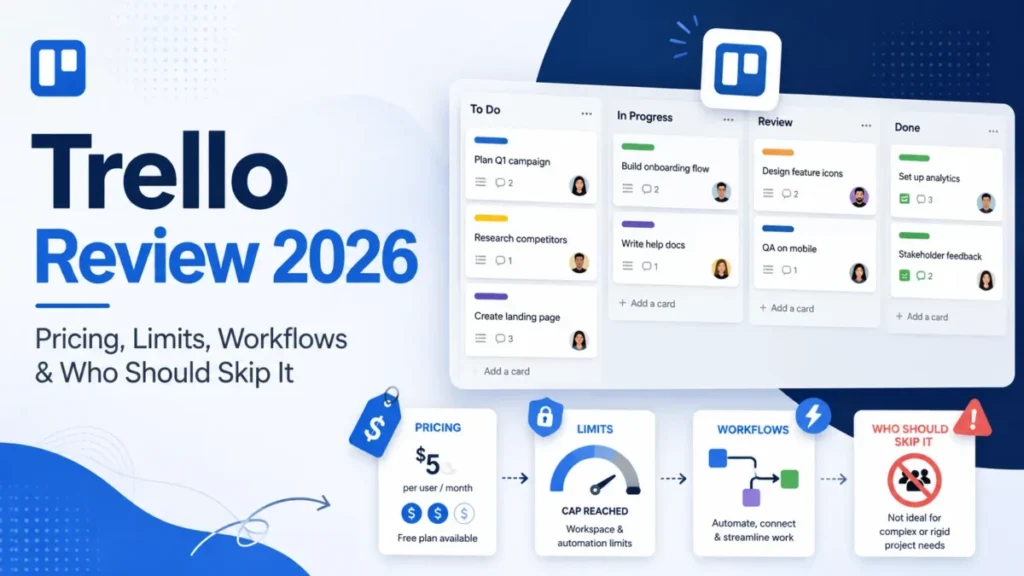
Choosing the right project management software requires understanding its features, limitations, and overall cost. Trello pricing offers several options for individuals, small businesses, and large organizations. Users can start with a free plan and upgrade as their project management requirements become more advanced. Each subscription provides different tools for organizing tasks, managing workflows, and improving team collaboration.
Trello is a visual project management platform developed by Atlassian. It uses boards, lists, and cards to help users organize projects and track progress. Its straightforward interface makes it suitable for managing personal tasks, marketing campaigns, product development, and business operations. However, understanding the differences between its subscription plans is important before making a purchasing decision.
2. Understanding Trello Pricing Plans
Trello provides four main subscription options: Free, Standard, Premium, and Enterprise. Each plan targets a different type of user, depending on team size, collaboration requirements, and administrative needs.
Here is an overview of the current pricing in US dollars.
| Plan | Price |
|---|---|
| Free | $0 |
| Standard | $5 per user/month, billed annually |
| Premium | $10 per user/month, billed annually |
| Enterprise | $17.50 per user/month, billed annually |
Standard costs $6 per user when billed monthly, while Premium costs $12.50 per user when billed monthly. Enterprise is listed at $17.50 per user per month with annual billing.
These prices provide a useful starting point, but businesses should also consider the number of users, billing frequency, applicable taxes, and additional integration costs.
3. Detailed Breakdown of Trello Plans
Free Plan: Best for Individuals and Small Teams
The Free plan is a practical starting point for individuals and small teams that need basic project organization without a subscription expense.
It includes:
-
Unlimited cards.
-
Up to 10 boards per Workspace.
-
Up to 10 collaborators per Workspace.
-
Unlimited Power-Ups.
-
250 automation command runs per month.
-
Unlimited storage with a 10MB attachment limit per file.
-
Custom backgrounds and stickers.
-
Mobile applications for iOS and Android.
Users can create task lists, assign responsibilities, add due dates, and monitor project progress.
For example, a freelancer managing several client projects can create separate boards for each project and organize tasks into categories such as To Do, In Progress, and Completed.
The main limitation is the 10-board and 10-collaborator restriction per Workspace. Growing teams may eventually need a paid subscription.
Standard Plan: Better Collaboration and Customization
The Standard plan costs $5 per user per month with annual billing or $6 with monthly billing.
It is designed for small businesses and growing teams that need more flexibility than the Free plan provides.
Its features include:
-
Unlimited boards.
-
Unlimited collaborators.
-
Advanced checklists.
-
Custom Fields.
-
Card mirroring.
-
List colors and collapsible lists.
-
1,000 automation command runs per month.
-
250MB attachment limit per file.
-
Single-board guests.
Custom Fields allow teams to add structured information to cards, such as project categories, budgets, priorities, and deadlines.
For example, a marketing team can use Custom Fields to track campaign types, publication dates, assigned writers, and approval status.
Standard is a suitable choice when a business needs more boards, better task organization, and additional automation without requiring advanced administrative controls.
Premium Plan: Advanced Project Visibility
The Premium plan costs $10 per user per month with annual billing or $12.50 with monthly billing.
It is designed for teams managing multiple projects that need advanced reporting, visualization, and administrative features.
Premium includes everything in Standard, along with:
-
Calendar, Timeline, Table, Dashboard, and Map views.
-
Unlimited automation command runs.
-
Workspace-level templates.
-
Board collections.
-
Administrative and security features.
-
Observers with read-only access.
-
CSV data exports.
-
Priority support.
These features help managers understand project progress without checking every individual task.
For instance, a project manager handling several product launches can use Timeline view to monitor deadlines and dependencies. Dashboard view can provide a broader overview of project activity and workload.
Premium is particularly useful for businesses that need greater visibility and control over multiple workflows.
Enterprise Plan: Designed for Large Organizations
The Enterprise plan starts at $17.50 per user per month with annual billing, equivalent to $210 per user annually.
It is designed for larger organizations that require centralized administration, stronger security, and collaboration across multiple departments.
Enterprise features include:
-
Unlimited Workspaces.
-
Organization-wide permissions.
-
Organization-visible boards.
-
Public board management.
-
Multi-board guests.
-
Attachment permissions.
-
Power-Up administration.
-
Atlassian Guard Standard features for single sign-on and user provisioning.
One important advantage is simplified billing across Enterprise Workspaces. Organizations can manage users and permissions more consistently instead of handling separate subscriptions for different teams.
Enterprise is a better fit for companies with complex organizational structures and strict access management requirements.
4. How to Choose the Right Trello Plan
Selecting a subscription should depend on actual business requirements rather than simply choosing the plan with the highest number of features.
Consider these practical guidelines:
-
Choose Free if you manage personal projects or work with a small team.
-
Choose Standard if you need unlimited boards, advanced checklists, and Custom Fields.
-
Choose Premium if you manage multiple projects and require advanced views, reporting, and administrative controls.
-
Choose Enterprise if your organization needs centralized management, advanced permissions, and enterprise-level security.
It is also important to estimate the number of paid users before upgrading. Since Standard and Premium charge per user, subscription expenses increase as additional team members join.
5. Practical Benefits and Key Insights
Understanding Trello pricing helps businesses select tools that match their workflows and budgets.
One major benefit is scalability. Teams can begin with the Free plan and move to a paid subscription when their requirements change.
Another advantage is workflow automation. Trello's built-in automation can reduce repetitive activities, such as moving cards, assigning tasks, and updating due dates.
The platform also supports integrations through Power-Ups. Businesses can connect Trello with tools such as Slack, Google Drive, and other services. However, some third-party integrations may require separate subscriptions.
For teams managing several projects, Premium provides additional visibility through different board views. These features can make it easier to identify delays, review progress, and coordinate responsibilities.
The most cost-effective plan is therefore the one that provides the necessary functionality without paying for features the team rarely uses.
6. Common Challenges and Considerations
Although Trello offers flexible subscription options, there are several factors businesses should evaluate.
Per-user subscription costs: Paid plans become more expensive as the number of users increases. A business with 20 users on Standard, for example, would pay $100 monthly on an annual billing basis, excluding applicable taxes.
Feature limitations: The Free plan has restrictions on boards, collaborators, automation, and attachment sizes. Teams with demanding workflows may find these limits restrictive.
Additional integration expenses: Some Power-Ups and external business applications require separate subscriptions. These costs should be included when calculating the overall software budget.
Project complexity: Trello works particularly well for visual task management. However, organizations with complicated dependencies, resource planning, or advanced project governance requirements should evaluate whether its features meet their needs.
7. Frequently Asked Questions (FAQs)
1. Is Trello completely free to use?
Trello offers a Free plan that includes unlimited cards, up to 10 boards per Workspace, and up to 10 collaborators. Users can upgrade when they need additional features.
2. How much does Trello Standard cost?
Trello Standard costs $5 per user per month with annual billing or $6 per user per month with monthly billing.
3. What is the difference between Standard and Premium?
Standard provides unlimited boards, Custom Fields, advanced checklists, and additional automation. Premium adds advanced views, unlimited automation, administrative controls, and data exports.
4. Does Trello offer an Enterprise plan?
Yes. Trello Enterprise costs $17.50 per user per month with annual billing. It provides additional organizational controls, security features, and centralized Workspace management.
5. Which Trello plan is best for a small business?
Standard is generally a good choice for small businesses that need unlimited boards, better collaboration, and advanced task management. However, businesses with basic requirements may find the Free plan sufficient.
8. Conclusion
Trello pricing provides flexible options for individuals, growing teams, and large organizations. The Free plan supports basic task management, while Standard introduces additional collaboration and customization features. Premium offers advanced project visibility and administrative tools, and Enterprise focuses on organizational security and centralized management.
Before choosing a subscription, evaluate your team size, project complexity, automation requirements, and available budget. Comparing these factors will help you identify the most suitable plan and avoid unnecessary expenses. By selecting the right subscription, businesses can use Trello more effectively to organize work, improve collaboration, and manage projects efficiently.
- Technology for Students
- Admissions & Applications
- Online Courses
- Career and Jobs
- Campus Life
- Drinks
- Film
- Fitness
- Food
- Jeux
- Gardening
- Health
- Domicile
- Literature
- Music
- Networking For Students
- Insights
- Party
- Religion
- Shopping
- Sports
- Theater
- Wellness
- Education News
- Business & Finance For Students
- Security, Law & Crime Education
- Insurance
- Science & Technology For Students
 French
 English
 Arabic
 Spanish
 Portuguese
 Deutsch
 Turkish
 Dutch
 Italiano
 Russian
 Romaian
 Portuguese (Brazil)
 Greek