


Why Is My iPhone Battery Draining Faster After an iOS Update?
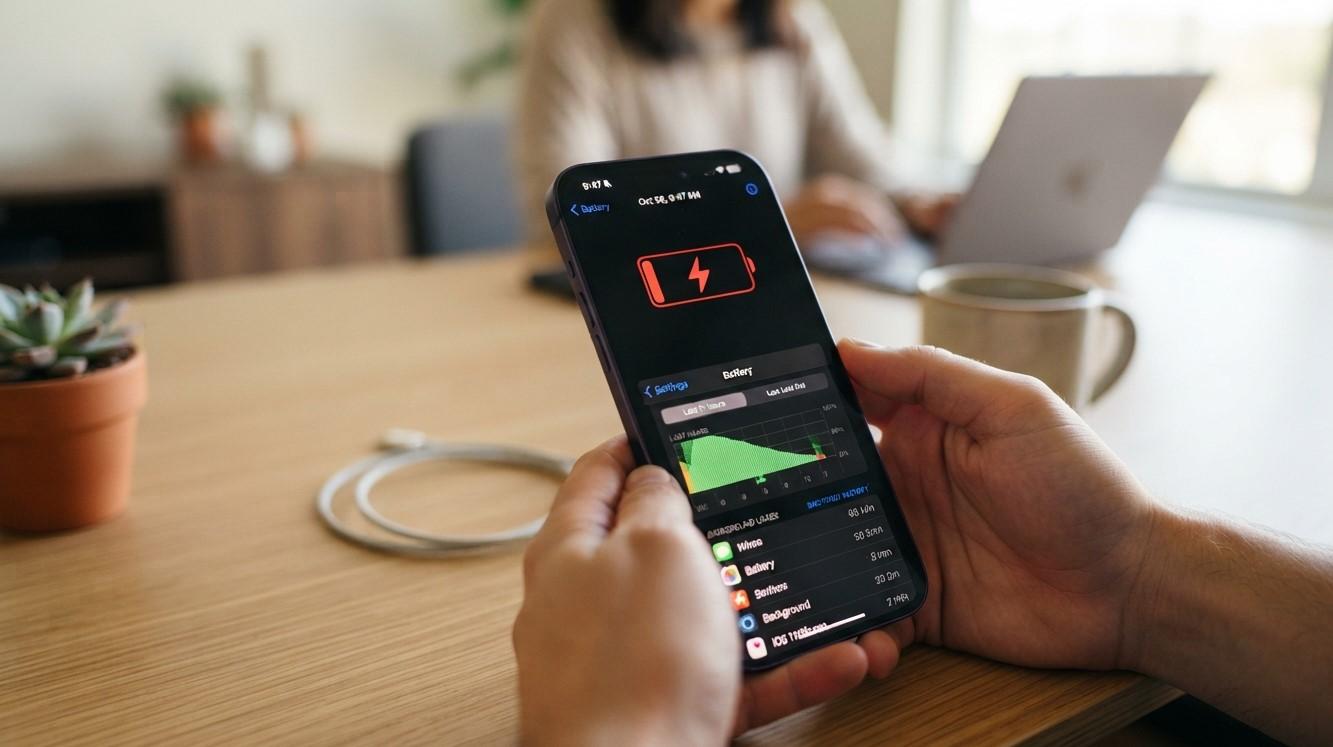
Have you noticed that your iPhone battery seems to drain much faster than usual after installing an iOS update? You may find yourself charging your phone more frequently, watching the battery percentage fall quickly, or noticing that your device becomes warmer during normal use. While this can be concerning, increased battery usage after an update does not always mean that your battery is damaged.
For customers looking for Avenue D Cellular, reliable cell phone repair brooklyn ny, or professional iphone repair brooklyn, understanding the possible causes can help you determine whether the battery drain is temporary or requires further attention.
Table of Contents
- Why Does an iOS Update Affect Battery Life?
- Background Processes After an Update
- Apps May Need to Update
- New iOS Features Can Use More Battery
- Check Which Apps Are Draining Your Battery
- Poor Cellular Signal Can Increase Battery Usage
- Location Services and Background Activity
- Check Your Battery Health
- Restart Your iPhone
- Update Your Apps
- What If Battery Drain Continues?
- When Should You Consider Professional Repair?
- Frequently Asked Questions
- Conclusion and CTA
Why Does an iOS Update Affect Battery Life?
It is common for an iPhone's battery behavior to change temporarily after a major iOS update. The operating system may perform additional background tasks, reorganize data, index files, update system information, and complete other processes after installation.
During this period, the iPhone may use more power than normal. Your phone may also feel warmer or appear to drain faster for a short time.
If battery life improves after the system finishes these background tasks, there may not be a hardware problem.
However, if the battery continues draining unusually quickly for an extended period, you should investigate other possible causes.
Background Processes After an Update
An iOS update can trigger various background activities that are not always visible to the user.
Your iPhone may be:
- Indexing files and data
- Processing photos
- Updating system information
- Synchronizing content
- Reorganizing data
- Completing app-related tasks
- Performing other background maintenance
These activities can temporarily increase processor and battery usage.
For this reason, it is a good idea to give your iPhone some time after a significant update before assuming that the battery itself has failed.
Apps May Need to Update
Your installed apps also interact with the operating system. After an iOS update, some apps may need to be updated to work properly with the new software.
Older app versions can sometimes consume more battery if they are not fully optimized for the current iOS version.
Open the App Store and check for available app updates. Keeping your applications current can help improve compatibility and may reduce unnecessary battery consumption.
If you notice that one particular application is responsible for a large amount of battery usage, consider updating it or checking whether you actually need it running frequently.
New iOS Features Can Use More Battery
Software updates can introduce new features, visual changes, system capabilities, and other improvements.
Some features may require additional processing power, display activity, location access, network communication, or background activity.
This does not necessarily mean the update is harmful to your battery. It simply means that your iPhone may be performing more tasks than it did before.
Review your settings and disable features you do not use if you want to reduce unnecessary battery consumption.
Check Which Apps Are Draining Your Battery
Your iPhone provides battery usage information that can help identify power-hungry applications.
Go to the Settings app and open the Battery section. Depending on your iOS version, you can review battery usage over different periods and see which apps or activities are consuming the most energy.
Look for applications that:
- Use a large percentage of battery
- Continue operating in the background
- Frequently access your location
- Use the camera or microphone
- Keep the screen active
- Consume significant cellular data
If one app suddenly appears near the top of your battery usage after an update, check whether an update is available or whether the app can be removed or used less frequently.
Poor Cellular Signal Can Increase Battery Usage
Your iPhone may use more battery when it has difficulty maintaining a cellular connection.
When the cellular signal is weak, the phone may work harder to communicate with the network. If you frequently use your iPhone in areas with poor reception, this can contribute to increased battery consumption.
This can sometimes make battery drain appear to be caused by the iOS update when the actual issue is related to network conditions.
If you notice faster battery drain primarily in locations with weak reception, consider whether cellular signal strength is contributing to the problem.
Location Services and Background Activity
Location Services allow apps and system features to determine your approximate location.
After an iOS update, you may want to review which applications have permission to access your location.
Go to your privacy and location settings and review the apps listed there. If an application does not need constant access to your location, consider changing its permission.
You can also review background activity and notification settings for applications that you rarely use.
Reducing unnecessary background activity can help conserve battery power.
Check Your Battery Health
If your iPhone was already experiencing poor battery life before the update, the software update may simply make an existing battery problem more noticeable.
Check your iPhone's battery health information through the Settings app under Battery and the available battery health section.
An aging battery naturally loses capacity over time. As the battery's maximum capacity decreases, you may need to charge the device more frequently.
Signs that your battery may be reaching the end of its useful life include:
- Rapid battery drain
- Unexpected shutdowns
- Shorter usage time
- Battery percentage fluctuations
- Slow charging
- Excessive heat during normal use
If these symptoms continue after the update, the battery itself may need professional evaluation.
Restart Your iPhone
A simple restart can sometimes resolve temporary software issues following an update.
Restarting your iPhone closes certain active processes and gives the operating system a fresh start.
If the battery drain was caused by a temporary background process or software glitch, restarting may help.
After restarting, use your iPhone normally and monitor its battery performance rather than immediately assuming that the battery needs replacement.
Update Your Apps
After updating iOS, check the App Store for application updates.
Developers often release updates to improve compatibility, performance, and stability with newer versions of iOS.
If an app has not been updated for a long time and suddenly begins consuming significant battery, it may be worth checking for a newer version.
You can also uninstall applications you no longer use. Reducing unnecessary apps can help limit background activity and notifications.
What If Battery Drain Continues?
If your iPhone continues losing battery unusually quickly after the initial post-update period, investigate the problem further.
Start by checking:
- Battery usage statistics.
- Battery health.
- Recently installed or updated apps.
- Location permissions.
- Background activity.
- Cellular signal conditions.
- Screen brightness and display settings.
- Whether the phone is becoming unusually warm.
If you identify a particular app or feature causing excessive consumption, adjusting its settings may resolve the problem.
If there is no obvious software-related cause, the battery itself may require inspection.
When Should You Consider Professional Repair?
Not every battery drain problem requires repair. However, professional assistance may be appropriate if the battery continues draining rapidly despite normal settings and usage.
You should consider having your iPhone inspected if:
- The battery drops dramatically within a short time.
- The phone shuts down unexpectedly.
- The device becomes unusually hot.
- Battery health is significantly degraded.
- The battery percentage changes unexpectedly.
- The iPhone charges very slowly.
- The phone has suffered physical or liquid damage.
- Battery problems existed before the iOS update and have become worse afterward.
For customers searching for cell phone repair brooklyn ny, professional technicians can inspect the battery and device to determine whether the issue is software-related or caused by hardware degradation.
If you need iphone repair brooklyn, a professional diagnostic check can help determine whether you need a battery replacement, software troubleshooting, or another type of repair.
Frequently Asked Questions
Is it normal for my iPhone battery to drain faster immediately after an iOS update?
Yes, temporary increased battery usage can occur after an update because the iPhone may perform additional background tasks. If the problem persists, investigate battery health, apps, settings, and other possible causes.
How long should increased battery drain last after an update?
The duration can vary depending on the update and the amount of background activity taking place. If your battery performance does not return to normal after the device has had time to complete its post-update tasks, further troubleshooting may be useful.
Can an iOS update damage my iPhone battery?
An iOS update does not normally physically damage a battery. However, changes in software behavior or system activity can make existing battery degradation more noticeable.
Why is my iPhone getting hot after an update?
Background processing, app activity, indexing, charging, or demanding tasks can temporarily increase processor activity and heat. Persistent or excessive heat during ordinary use should be investigated.
Should I replace my battery after an iOS update?
Not automatically. First check battery health and usage patterns. If the battery is significantly degraded or the phone continues experiencing severe drain, professional battery service may be appropriate.
Can apps cause battery drain after an iOS update?
Yes. An app may use excessive processing, location services, network activity, or background activity. Checking the Battery section in Settings can help identify apps consuming significant power.
Does restarting an iPhone help with battery drain?
A restart can resolve temporary software problems and background processes. It is a simple troubleshooting step worth trying if battery behavior suddenly changes.
Conclusion
If your iPhone battery is draining faster after an iOS update, there is not necessarily a serious problem with the device. Temporary background processing, app activity, new features, location services, weak cellular signals, and an aging battery can all contribute to increased power consumption.
Start by giving the iPhone some time after the update, restarting the device, updating your apps, checking battery usage, and reviewing battery health. If rapid drain continues or is accompanied by overheating, unexpected shutdowns, or other problems, professional diagnosis may be the best next step.
For dependable Avenue D Cellular service and professional cell phone repair brooklyn ny, getting your device properly inspected can help identify the actual cause of battery drain. If you are looking for iphone repair brooklyn, professional technicians can evaluate your iPhone and recommend the appropriate solution.
CTA
Is your iPhone battery draining unusually fast after an iOS update? Contact Avenue D Cellular for professional iPhone diagnosis and repair. Get your battery and device checked to identify the cause and restore reliable everyday performance.
- Technology for Students
- Admissions & Applications
- Online Courses
- Career and Jobs
- Campus Life
- Drinks
- Film
- Fitness
- Food
- Игры
- Gardening
- Health
- Главная
- Literature
- Music
- Networking For Students
- Insights
- Party
- Religion
- Shopping
- Sports
- Theater
- Wellness
- Education News
- Business & Finance For Students
- Security, Law & Crime Education
- Insurance
- Science & Technology For Students
 Russian
 English
 Arabic
 French
 Spanish
 Portuguese
 Deutsch
 Turkish
 Dutch
Dutch
 Italiano
 Romaian
 Portuguese (Brazil)
 Greek
Greek