


Custom Vector Artwork Creation for Sharp, Clean Designs
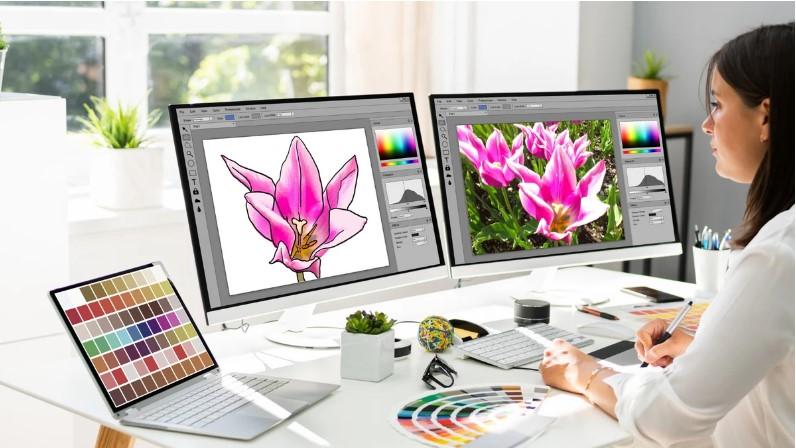
Have you ever enlarged a logo and noticed that its edges look blurry or pixelated? This problem can make even a great design look unprofessional. It often happens when artwork is created in a format that does not scale well.
Custom Vector Artwork Creation offers a practical solution. It uses lines, curves, points, and shapes to build artwork that can be resized without losing its sharp appearance. Whether you need a business logo, product graphic, print design, or embroidery-ready artwork, vector graphics can help you achieve clean and consistent results.
From small business branding to large banners and custom apparel, vector artwork supports many creative and commercial projects. In this guide, you will learn how vector design works, why it matters, how the creation process works, and what to consider when choosing a vector artwork service.
What Is Custom Vector Artwork Creation?
Custom vector artwork creation is the process of designing or recreating graphics using mathematical paths instead of a fixed grid of pixels.
These paths define the shape, outline, size, and position of each design element. Because the artwork is not tied to a fixed pixel size, it can usually be enlarged or reduced without becoming blurry.
For example, imagine a company logo that must appear on a business card, a website, a vehicle, and a large outdoor sign. A well-made vector file can support all these uses without needing to redraw the logo for every size.
How Does Vector Artwork Differ from Raster Images?
Raster images, such as JPG and PNG files, are made of pixels. When enlarged too much, those pixels can become visible and make the image look rough.
Vector graphics use editable paths and shapes instead. This makes them especially useful for logos, icons, illustrations, and graphics that need to be resized often.
| Feature | Vector artwork | Raster artwork |
|---|---|---|
| Structure | Paths, points, and shapes | Pixels |
| Resizing | Usually stays sharp | May become blurry |
| Best uses | Logos, icons, line art | Photos and detailed images |
| Editing | Shapes and paths can be adjusted | Pixels are edited |
| Common formats | SVG, AI, EPS, PDF | JPG, PNG, TIFF |
Both formats are valuable. The right choice depends on the design and how you plan to use it.
Why Is Custom Vector Artwork Important?
Good artwork does more than look attractive. It helps a business maintain a clear visual identity across different platforms and products.
Custom vector graphics provide flexibility, making them useful for both creative work and commercial production.
1. Sharp Results at Different Sizes
A vector logo can be used on a small label or a large banner without losing the clarity of its edges. This makes it easier to maintain a consistent brand appearance.
2. Easier Design Editing
Vector artwork allows individual shapes, lines, and colors to be changed. If you need to adjust a logo, change a color, or remove an element, an editable vector file can make the task easier.
3. Consistent Branding
Businesses often use their logos on websites, packaging, uniforms, advertisements, and printed materials. A clean vector master file helps maintain consistent proportions and shapes across these applications.
4. Better Preparation for Printing
Many printing workflows benefit from vector artwork because it supports clean outlines and precise shapes. Vector files are especially useful for signs, decals, labels, and designs with solid colors.
However, the final output also depends on the printing method, color settings, and requirements of the production provider.
5. Support for Embroidery and Other Applications
Vector artwork can serve as a starting point for embroidery digitizing, laser cutting, vinyl graphics, and other production tasks.
It is important to remember that a vector file is not automatically ready for every machine. Embroidery, for example, requires stitch instructions created through digitizing.
Common Uses of Custom Vector Artwork Creation
Custom vector graphics can support many industries and projects. The design can be created from scratch or recreated from an existing image, depending on your needs.
Business Logos and Brand Identity
A business logo should remain clear wherever it appears. Vector artwork makes it easier to use the same design across websites, business cards, packaging, uniforms, and signage.
It is also useful when a company updates its visual identity or needs different logo variations for specific applications.
T-Shirt and Apparel Graphics
Vector artwork is widely used for clothing graphics, promotional products, and custom apparel. Clean shapes and well-defined outlines help prepare designs for suitable printing methods.
For embroidery projects, the vector artwork may need further adjustments before it can be digitized into stitches.
Product Labels and Packaging
Packaging often includes logos, icons, text, and decorative shapes. Editable vector files make it easier to adjust these elements for different package sizes while preserving the overall design.
Signs and Large-Format Graphics
Vehicle graphics, banners, window decals, and outdoor signs often require artwork that can be enlarged. Vector graphics help preserve clear outlines at large sizes.
Illustrations and Digital Graphics
Custom vector artwork can also be used for icons, mascots, character illustrations, diagrams, and other graphics. Designers can adjust colors, proportions, and individual elements without rebuilding the entire image.
How Custom Vector Artwork Creation Works
Creating high-quality vector artwork involves more than tracing an image. The process requires attention to shape, spacing, proportions, and the intended use of the final design.
Here are the main steps involved.
Step 1: Understand the Design Requirements
The first step is to identify what the artwork needs to achieve. A logo for a clothing brand may require different design choices from an illustration for product packaging.
Before starting, consider:
-
The purpose of the artwork.
-
The intended audience.
-
Where the design will be used.
-
Required colors and dimensions.
-
Whether the design must be editable.
-
Which file formats are needed.
Clear requirements help prevent unnecessary revisions later.
Step 2: Gather the Original Artwork or Reference
If you already have a logo or graphic, provide the clearest version available. This could be a JPG, PNG, scanned image, PDF, or another supported file.
If the artwork is blurry, the designer may need to recreate parts of it rather than trace every pixel.
For a new design, provide sketches, written descriptions, reference images, or examples of the style you want.
Step 3: Create or Rebuild the Vector Shapes
The designer uses vector graphics software to create paths, curves, and shapes that form the artwork.
For logo recreation, this may involve tracing the main outlines and correcting uneven edges. For original artwork, the process may include building shapes and illustrations from scratch.
The goal is to create clean, editable paths rather than a simple image embedded inside a vector file.
Step 4: Refine Curves, Spacing, and Proportions
Small details can make a major difference to the finished design. Uneven curves, inconsistent line thickness, or poor spacing can affect the overall appearance.
During refinement, the designer may:
-
Smooth rough edges.
-
Correct uneven curves.
-
Align shapes and text.
-
Improve spacing between elements.
-
Remove unnecessary points.
-
Maintain the original design's proportions.
A clean vector file should be easy to edit and look balanced at its intended sizes.
Step 5: Apply Colors and Design Details
Next, the designer applies colors, outlines, and other visual elements. The color choices should match the intended use of the artwork.
For example, a logo intended for screen printing may need a limited color palette. A digital illustration may allow more complex colors and effects.
If the artwork will be used for professional printing, confirm the required color mode and any specific production guidelines.
Step 6: Check the Artwork at Different Sizes
One of the key benefits of vector graphics is scalability, but the design should still be reviewed at realistic sizes.
A thin line may look clear when enlarged but become difficult to see on a small label. Tiny text may also need to be adjusted for readability.
Review the artwork at both small and large sizes to identify details that need improvement.
Step 7: Export the Correct File Formats
After the artwork is approved, export it in the formats required for your project.
Common vector formats include:
-
SVG: Useful for websites, digital graphics, and many design workflows.
-
EPS: Often used for professional graphics and print workflows.
-
AI: An editable format associated with Adobe Illustrator.
-
PDF: Can preserve vector content when exported correctly.
A PNG or JPG preview may also be useful for quick sharing, but these are raster images rather than editable vector files.
Always check that the exported file contains actual vector paths when a true vector deliverable is required.
What Makes High-Quality Vector Artwork?
Not all vector files are created with the same level of care. A file may have a vector extension but still contain messy paths, poor proportions, or embedded raster images.
When reviewing custom vector artwork, look for these qualities.
Clean Paths and Smooth Curves
Well-built paths create smooth edges and make the design easier to edit. Too many unnecessary anchor points can make curves harder to manage.
Accurate Shapes and Proportions
The artwork should preserve the important features of the original design. For a logo, this includes its letter shapes, spacing, proportions, and recognizable details.
Editable Design Elements
A useful vector file should allow the appropriate elements to be adjusted. Depending on the project, this may include shapes, text, colors, and outlines.
Suitable Color Settings
The colors should be prepared for the intended application. Screen colors and printed colors may look different, so production requirements should be considered.
Correct Export Settings
The final files should open correctly in the intended software and meet the requirements of the printer, manufacturer, or other production provider.
Common Vector Artwork Problems and How to Fix Them
Even a simple design can present challenges during vector conversion or creation. Understanding these issues can help you get better results.
Blurry Source Images
A low-quality source image may have unclear edges, missing details, or distorted text.
How to fix it: Use a higher-quality reference if possible. If none is available, recreate the design carefully instead of relying on automatic tracing alone.
Rough or Uneven Outlines
Automatic tracing can produce jagged edges or too many anchor points, especially when the source image is pixelated.
How to fix it: Refine the paths manually, smooth curves, and remove unnecessary points.
Incorrect Colors
Colors may look different across screens and printed materials.
How to fix it: Confirm the required color values and production settings before exporting the final artwork.
Text Changes or Font Problems
A logo may look different if the required font is missing or substituted.
How to fix it: Provide the correct font when licensing allows, or convert text into outlines when an editable font is not required. Keep a separate editable text version if future text changes are likely.
Artwork That Does Not Suit the Final Product
A detailed graphic may work well on a large sign but become difficult to read on a small label or clothing tag.
How to fix it: Review the artwork at its actual use size and simplify details when necessary.
How to Choose a Custom Vector Artwork Service
If you do not have the time or skills to create vector graphics yourself, a professional service may be a practical option.
Before choosing a provider, consider the following points.
Review Relevant Portfolio Examples
Look for examples similar to your project. Logo recreation, detailed illustration, and print preparation each require different skills.
Confirm the Deliverable Formats
Ask which file formats are included. If you need an editable vector file, make sure the service provides a genuine vector deliverable rather than only a PNG preview.
Explain Your Intended Use
Tell the designer whether the artwork will be used for printing, embroidery digitizing, signage, packaging, or digital display. This helps guide the design and export choices.
Ask About Revisions
Clarify how revisions work and whether they are included. Sharing clear references and requirements from the beginning can help reduce delays.
Check Production Requirements
If a printer or manufacturer will use the artwork, obtain its file specifications before the design is finalized.
This can help prevent problems with colors, outlines, dimensions, and file compatibility.
Tips for Getting the Best Results from Custom Vector Artwork Creation
You can improve the design process by preparing the right information before work begins.
-
Share clear references: Provide the best available image or sketch.
-
Explain the purpose: State where and how the artwork will be used.
-
Provide exact colors: Include color values or approved brand references when available.
-
Specify file formats: List the editable and export formats you need.
-
Mention size requirements: Share the intended dimensions and any minimum-size limits.
-
Keep an editable master file: This makes future changes easier.
-
Review the design before approval: Check shapes, spacing, text, and colors at realistic sizes.
These simple steps can help you receive artwork that fits your project rather than a generic graphic that needs extensive changes.
Is Custom Vector Artwork Creation Worth It?
Custom vector artwork can be a valuable investment when you need graphics that remain sharp, editable, and suitable for different uses.
For a small business, a clean vector logo can support consistent branding across packaging, websites, signs, and promotional materials. For a clothing business, vector graphics can provide a useful starting point for apparel printing or embroidery digitizing.
The value depends on how often you use the artwork, the complexity of the design, and the quality of the final files.
If you expect to reuse a logo for years, having a well-prepared vector master file can save time when creating new products or marketing materials.
Conclusion
Custom Vector Artwork Creation helps turn ideas, sketches, and existing graphics into clean, scalable designs. Because vector graphics use paths and shapes instead of fixed pixels, they are useful for logos, branding, apparel graphics, signs, packaging, and many other applications.
The best results come from clear requirements, careful path editing, balanced proportions, suitable colors, and correct file exports. It is also important to check that the final artwork suits its intended size and production method.
Whether you are creating a new logo or converting an existing image, focus on getting an editable, well-structured vector file. This gives you more flexibility and helps keep your graphics consistent across different projects.
Frequently Asked Questions
1. What is custom vector artwork creation?
Custom vector artwork creation is the process of designing or recreating graphics using editable paths, curves, and shapes. It produces artwork that can usually be resized without losing sharpness.
2. Can a JPG or PNG image be converted into vector artwork?
Yes. A JPG or PNG can be traced or recreated as vector paths. Simple logos are often easier to convert, while detailed images may require manual work to achieve accurate results.
3. Which file format is best for vector artwork?
The best format depends on your needs. SVG is useful for many web and digital applications, EPS is common in graphics workflows, AI supports editing in compatible software, and PDF can preserve vector content when exported correctly.
4. Can vector artwork be used for embroidery?
Yes. Vector artwork can serve as a starting point for embroidery digitizing. However, it must be converted into stitch instructions and exported in a compatible embroidery format before a machine can stitch it.
5. How much does custom vector artwork creation cost?
The cost depends on the complexity of the design, the quality of the source image, the amount of manual editing required, and the file formats needed. A simple logo may take less work than a detailed illustration or a complete artwork recreation.
- Technology for Students
- Admissions & Applications
- Online Courses
- Career and Jobs
- Campus Life
- Drinks
- Film
- Fitness
- Food
- Games
- Gardening
- Health
- Home
- Literature
- Music
- Networking For Students
- Insights
- Party
- Religion
- Shopping
- Sports
- Theater
- Wellness
- Education News
- Business & Finance For Students
- Security, Law & Crime Education
- Insurance
- Science & Technology For Students
 English
 Arabic
 French
 Spanish
 Portuguese
 Deutsch
 Turkish
 Dutch
Dutch
 Italiano
 Russian
 Romaian
 Portuguese (Brazil)
 Greek
Greek